Choose Your Sheru Bhai Photo Style
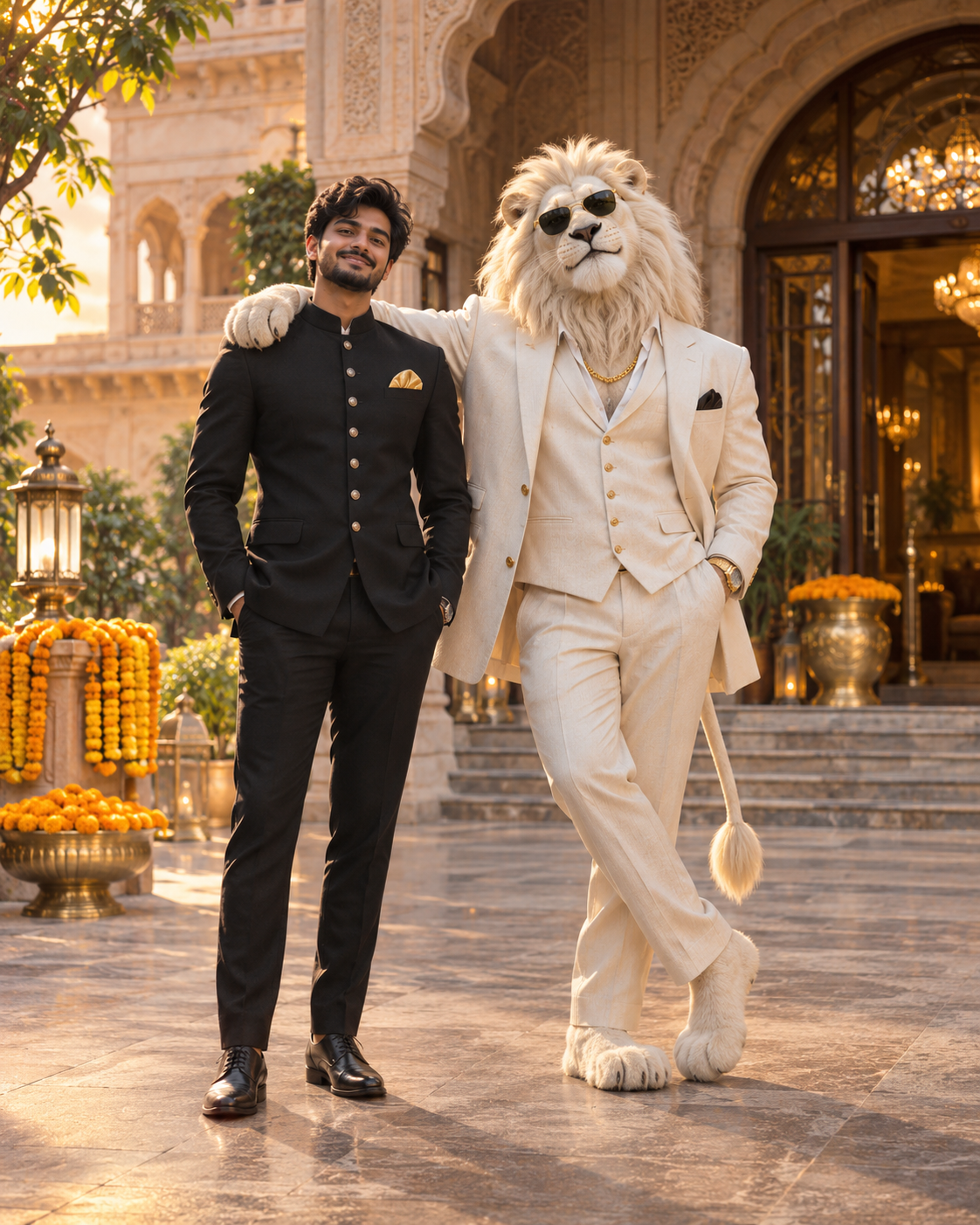
Choose a scene, upload your photo and generate a Sheru Bhai style duo portrait. The image instructions are built in, so there is nothing to write or copy.
Step by step
- 1
Choose a scene
Select the lion look and setting that fit the photo you want.
- 2
Upload your photo
Use a clear, front-facing image so the generator can keep your face recognizable.
- 3
Generate and share
Create the duo portrait in the browser, review the preview, then save or share it.
Choose a scene for your Sheru Bhai photo
Pick the mood you want and the generator handles the image instructions for you. The default composition keeps you as the human subject and adds a separate, original lion boss beside you. Choose a palace entrance for a royal look, a warm auction hall for a cinematic portrait, or a dark luxury setting for a dramatic result.
How to get a natural-looking duo photo
Choose a clear, front-facing photo and a simple scene. A natural pose with both subjects visible usually works better than a crowded background or dramatic effects. This generator applies the scene instructions automatically.
Pro tips for a cleaner result
Use a clear, front-facing photo and let the generator handle the scene setup.
- Ask for a 3:4 or 1:1 aspect ratio up front instead of cropping afterwards.
- Choose a simple background so both you and the lion remain easy to see.
- Avoid group photos, face coverings and strong filters when you want a recognizable result.
- Use the preview to check that both subjects are visible before saving.
Common mistakes
These common choices can make an AI duo portrait harder to read.
- Uploading a blurry or side-facing photo.
- Choosing a scene with too many competing background details.
- Using sunglasses, a heavy filter or a group selfie as the reference.
- Expecting an exact face match; image models can change small details.
Frequently asked questions
Do I need to write a prompt to make a Sheru Bhai photo?+
No. Choose a scene, upload your photo and generate. The image instructions are built into the tool.
How do I choose a Sheru Bhai photo scene?+
Pick the character look and setting you prefer, such as a white lion in a palace scene or a golden lion in an auction hall.
Will I appear beside the lion in the generated image?+
That is the default composition: you remain the human subject and the original lion character appears beside you. Results can vary by image model.
Can I make the photo on my phone?+
Yes. Upload a clear photo from your phone browser, choose a scene and create the duo portrait without installing an app.
Related guides
About this trend and our artwork
This is a fan-made tool inspired by a viral AI character trend. We are not the original creator and we are not an official site. We do not host or offer downloads of anyone else’s original artwork.
Every lion character shown here is an original illustration or an AI render made from a prompt we wrote ourselves. No logos, brand names, watermarks of third parties or readable text are used in the generated images.
Your uploaded selfie is used only to produce your image. Photo files expire after 24 hours and are removed by server cleanup on subsequent requests. They are never published or used for training. See our Privacy Policy for details.