How to Make a Sheru Bhai Photo
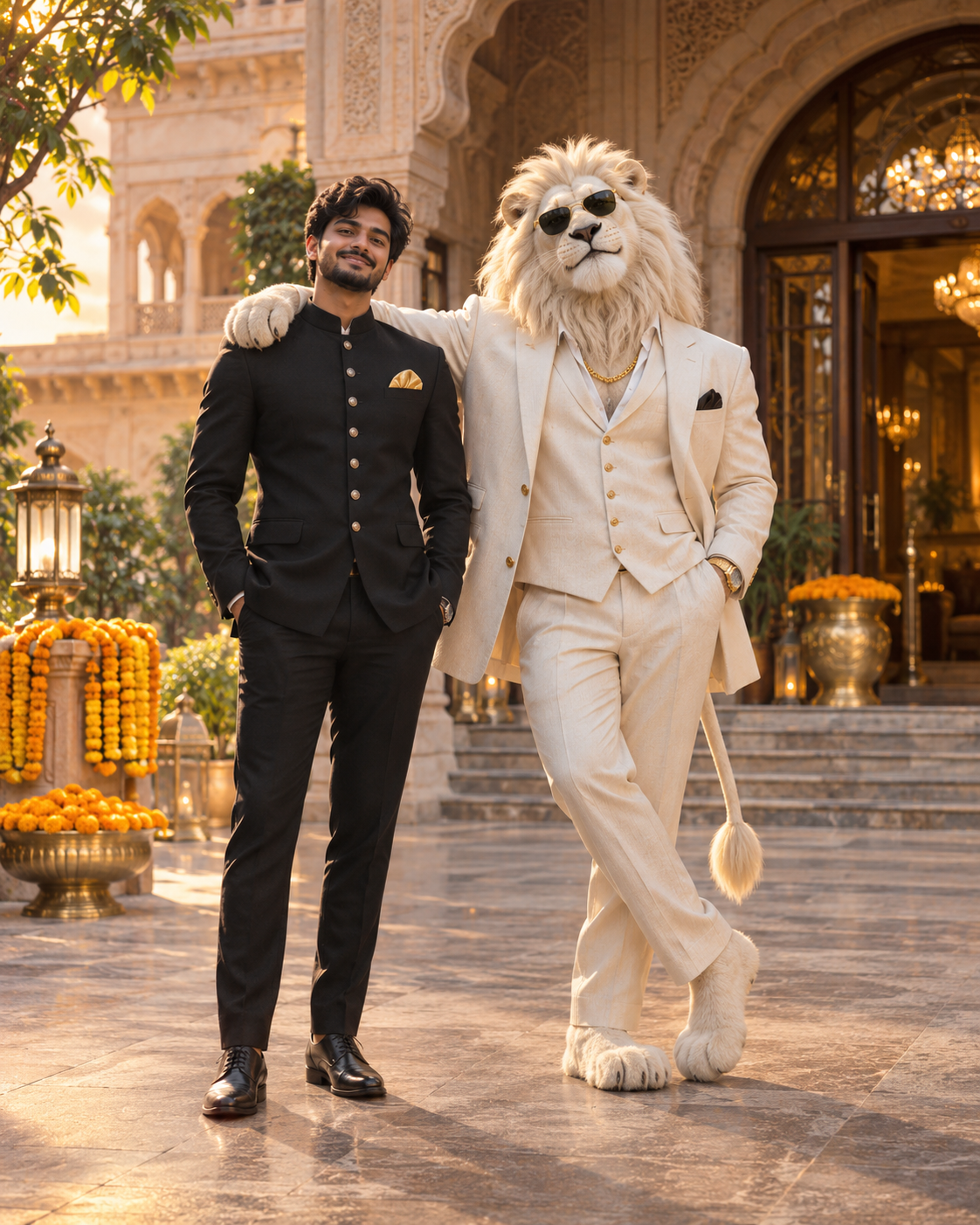
To make a Sheru Bhai style duo photo, upload a clear picture of yourself, choose a scene, and generate. The human subject stays beside the fictional lion boss; this guide covers photo choice, scene selection and saving the result.
Step by step
- 1
Step 1 — Open the maker on your phone
Go to the home page in Chrome or Safari. No app or account is needed for a free preview outside India. Sign in to purchase a download; India users sign in before payment.
- 2
Step 2 — Upload a front-facing selfie
Pick a clear, evenly lit photo from your library. JPG, PNG and WebP up to 10 MB are supported.
- 3
Step 3 — Select a style
Choose Golden Boss, White Lion, Auction Room or Luxury Night. The result is a duo portrait with you and the lion together.
- 4
Step 4 — Generate and review
Outside India, tap Generate and check the watermarked preview. In India, choose a resolution and pay first; generation starts after payment.
- 5
Step 5 — Preview or buy a download
Outside India, share the free watermarked preview or pay for a clean 1K/2K/4K file. In India, the selected file downloads after the upfront payment.
Start with the right selfie
The source photo matters more than the prompt. Use a photo taken in daylight or even indoor light, facing the camera, with your whole face visible and no heavy filter. Avoid sunglasses, hats, group shots and extreme angles. A 1:1 or 3:4 crop works best because the finished image is vertical or square.
Choose one style and stay with it
Choose a lion look and setting: a golden or white suited lion, an auction hall, or a dark luxury studio. Each option keeps you and the lion together in one frame. Changing the style between attempts makes it impossible to tell which change improved the result, so fix the style first and adjust the photo instead.
Check the face before you download
Look at the eyes, the jaw line and the hairline first. If those are off, re-upload a sharper or brighter selfie rather than rewriting the prompt. If the face is right but the mood is wrong, change the lighting words in the prompt.
Save and share it
Outside India, the free 1K preview carries a small sherubhaiphotos.com mark. Pay per clean download: $1.59 for 1K, $1.99 for 2K or $2.99 for 4K. India has no preview: choose a resolution and pay before generation at the ₹69/₹89/₹99 target price sent to Waffo as a USD equivalent; the final local amount may vary slightly. The file downloads directly. Portrait images work for Reels covers and Stories, while square images fit WhatsApp or Instagram DP.
Frequently asked questions
How long does it take to make a Sheru Bhai photo?+
Usually around 20 to 75 seconds after generation starts. In India, generation starts after successful payment.
Do I need Photoshop or a prompt app?+
No. The maker runs in your browser and the prompt is already built into each style. No editing software is needed.
What if my generation fails?+
Try again with a smaller photo or a different style. For India orders, the system requests a refund if generation fails and the payment provider supports refunds.
Is my selfie stored?+
Photo files expire after 24 hours and are removed by server cleanup on subsequent requests. They are never published or used for model training.
Related guides
About this trend and our artwork
This is a fan-made tool inspired by a viral AI character trend. We are not the original creator and we are not an official site. We do not host or offer downloads of anyone else’s original artwork.
Every lion character shown here is an original illustration or an AI render made from a prompt we wrote ourselves. No logos, brand names, watermarks of third parties or readable text are used in the generated images.
Your uploaded selfie is used only to produce your image. Photo files expire after 24 hours and are removed by server cleanup on subsequent requests. They are never published or used for training. See our Privacy Policy for details.